
Your assistant conversations are saved
Issue 09 · Oct 28, 2026
Your assistant conversations are saved!
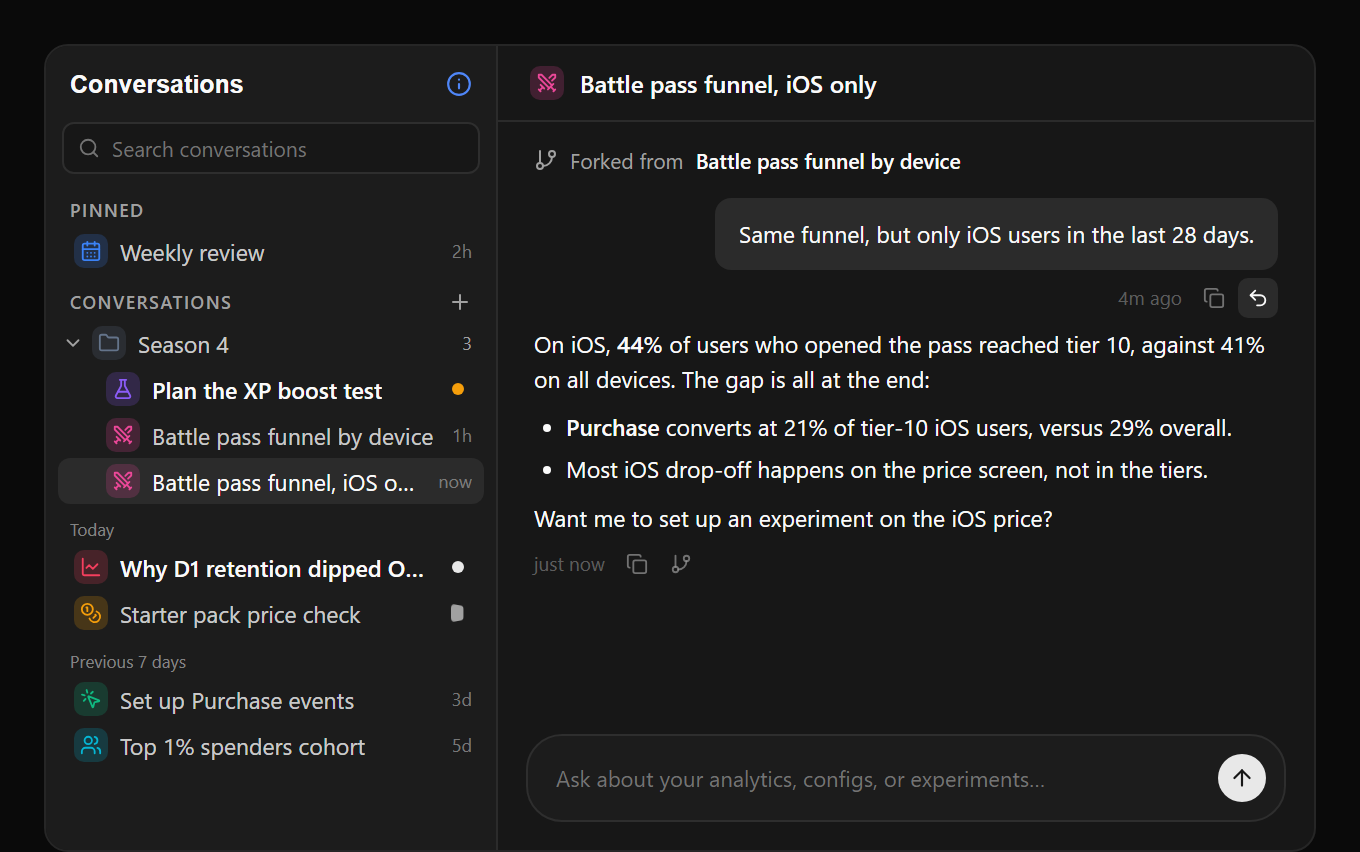
Every conversation with the assistant is now saved, so you can come back to an analysis, keep the ones that matter, and try a different direction without losing the original. Only you can see them.
- History. Your conversations sit in a sidebar on Home, and in the docked assistant and Cmd+K. Search by title and pick up where you left off.
- Organize. Pin, rename, and give a conversation an icon and color, or drag it into folders. New conversations are named from your first message.
- Fork and revert. Fork from any reply to try another angle in a new conversation, or revert to an earlier message to edit and resend it.
- Runs in the background. A reply keeps going if you reload, close the tab, or switch conversations, and you can run several at once. The list marks replies you haven’t read and ones waiting on your approval.
Formulas, rebuilt
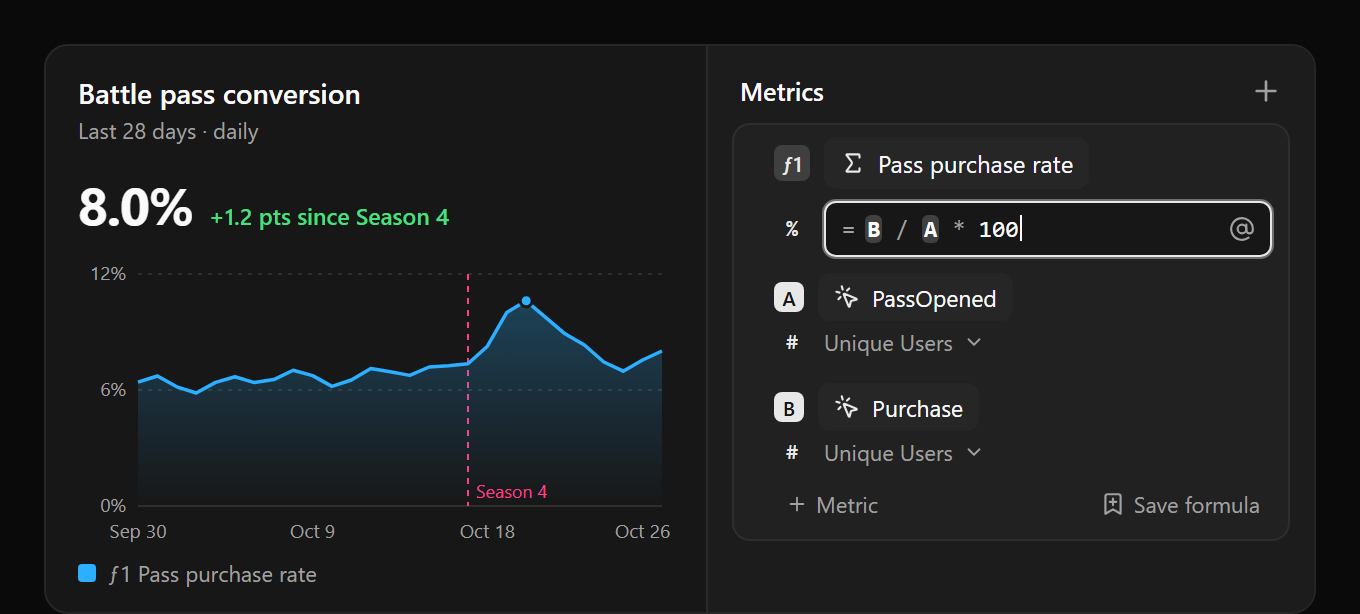
Formulas let you chart a ratio or a rate from the metrics in a query, like purchases per user who opened the battle pass. They now work the same way everywhere: in the query builder, in the assistant, and through MCP.
- Edits are instant. A formula is calculated from the query’s results, so changing only the formula doesn’t re-run the query.
- Self-contained formulas. Drag metrics into a formula, or use + Metric, and it carries its own inputs instead of depending on the rest of the query.
- Save and reuse. Save a formula and add it to any insight. Charts stay linked, so editing it updates every chart that uses it, and Gamebeast tells you how many saved queries that changes first.
- A better editor. Metric letters are highlighted, @ inserts a metric, and a formula with a mistake tells you what to fix.
- Agents can manage them. Over MCP, agents can list, create, update, and delete saved formulas.
One fix worth knowing: a formula placed above other metrics in a query could read the wrong values. It now calculates correctly, so if you have one, the chart may change.
Know a studio that should be on Gamebeast?
Send them your referral link. When they sign up or upgrade, you earn 5% of their first payment, up to $10,000 per studio, with no limit on how many you refer.
Your link is in Settings under Referrals. Referring an enterprise studio? They just need to name you when they start onboarding. Terms are at gamebeast.gg/referrals.
Smaller things worth knowing
One MCP connection for everything. Connect once with All access to reach every organization and project you can see, including new ones, or choose Scoped access and pick projects. You also choose which permissions the connection gets.
Legacy experiments are retired. Experiments v2 is the only experiments product now, and old experiment links redirect there. Shipped SDKs keep working, but no longer receive legacy variants.
New User breakdowns, fixed and faster. Charts that filter or break down by New User no longer come back empty on busy projects, and they load faster.
On the horizon
histograms and community pulse
- Histograms. A chart for how a value is spread across users, not just its average.
- Community Pulse for everyone. User feedback from the channels you already run, grouped by topic and sentiment, for every studio.