
Community Pulse is live for every studio
Issue 12 · Nov 17, 2026
We did it: Community Pulse is live!
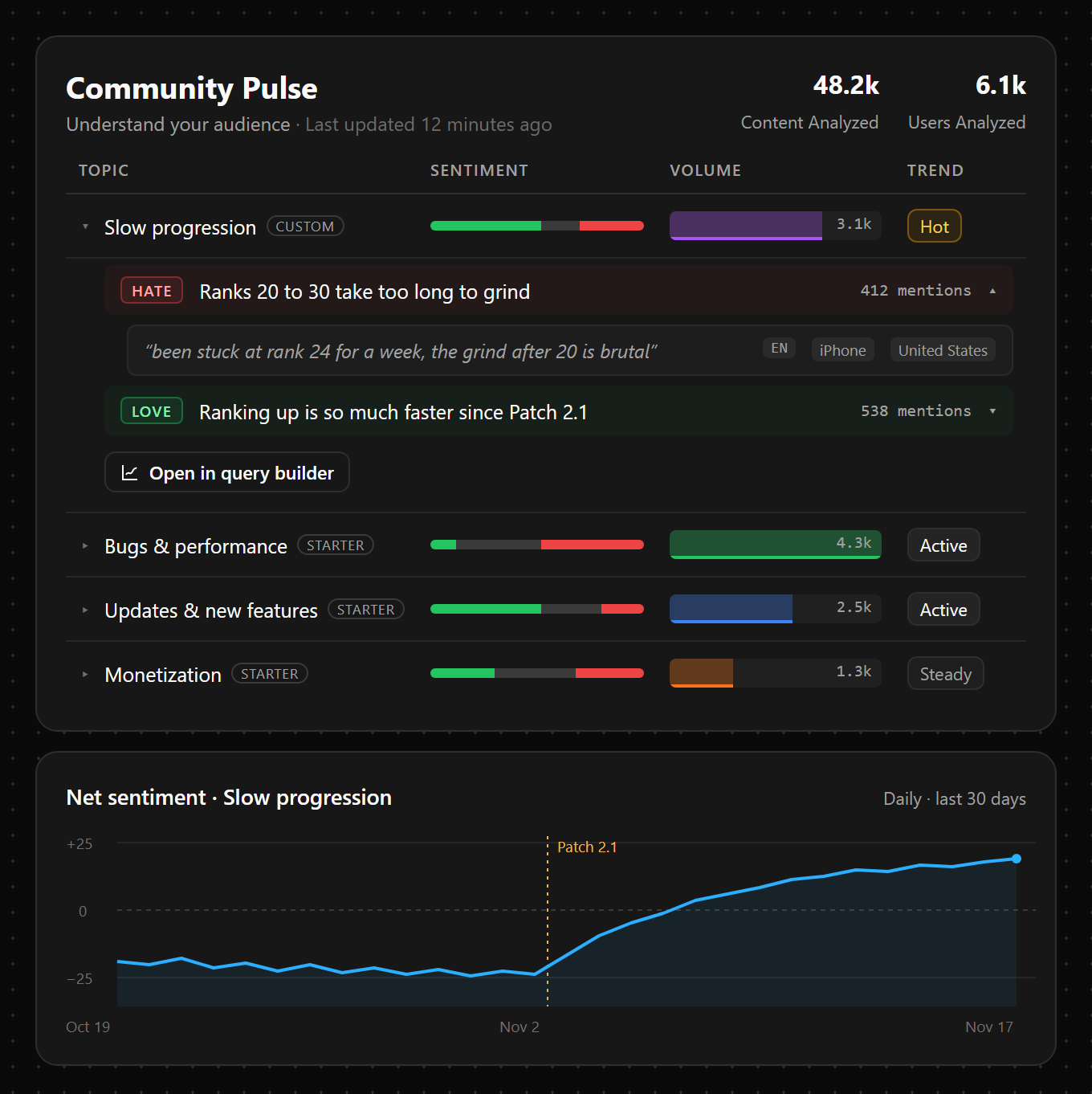
Community Pulse reads what your users are saying in Discord, in-game comms, social media, or any other channel you choose to connect, and turns it into topics, sentiment, and the top quotes behind them.
- Your topics. Use the built-in ones or define your own in plain words, like “slow progression.”
- Sentiment as a query. Chart it over time on any dashboard, break down any funnel or retention chart by how users feel, and click a point to read the messages behind it.
- Act on it. Turn users who complain about slow progression into a cohort, then give them an experiment with faster progression.
- Quick to start. Pick your Discord channels, or any text field on the events you send. Including the last 7 days is free.
Retention, rebuilt and 5x faster
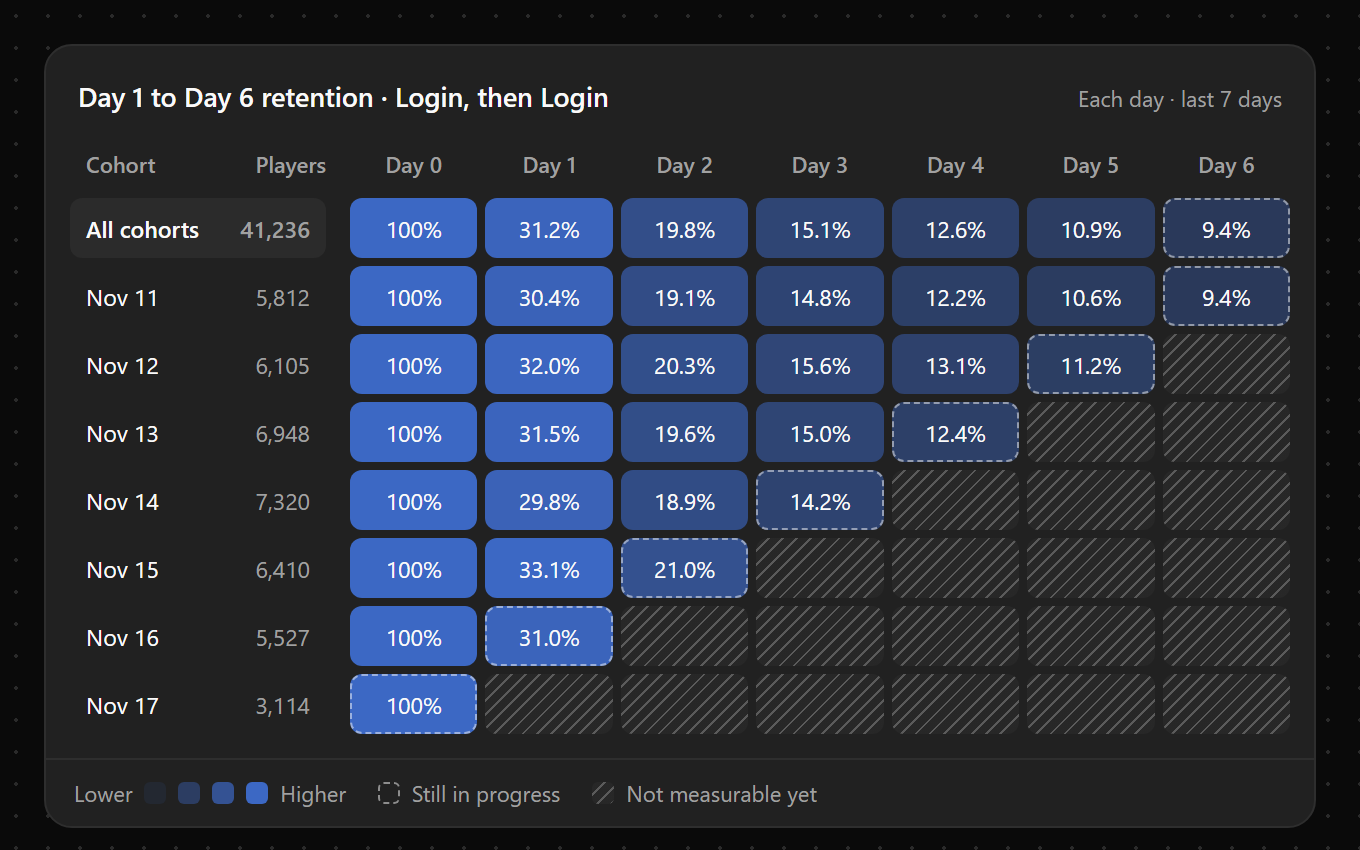
Retention queries run up to 5x faster, and there are two new ways to chart them.
- Cohort grid. The classic retention grid: one row per start date, shaded by how many users came back each day after.
- Retention curve. Day-by-day retention plotted in order on one continuous line.
- Look-ahead only. Retention now follows each cohort forward, the industry standard. Saved look-back queries upgrade automatically, so some of their numbers will change.
Enums, explicit types, and a 50x faster editor
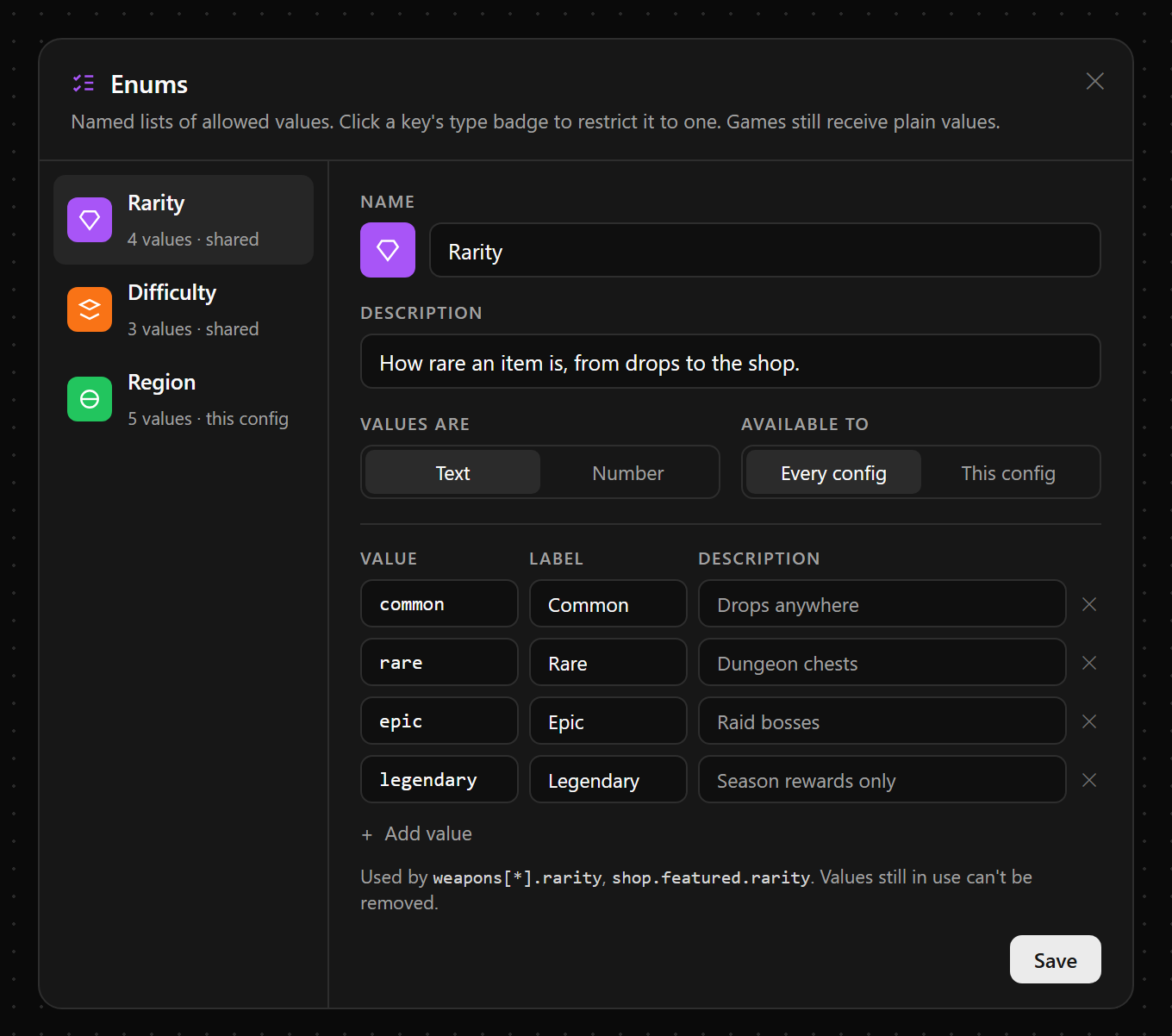
Create enums, named lists of allowed values like common, rare, and epic, and use them across your configurations. A key tied to one gets a picker, and nothing else can be saved there.
- Explicit types. Values still infer their type as you type, but you can set one, so “007” stays text.
- 50x faster. Editing and navigating big configurations no longer lags.
- For power users. Press ⌘P (Ctrl+P) to jump to any key or run a command, and the dock keeps undo, your changes, and deploy one click away.
- A new JSON editor. No lag, with autocomplete and better linting.
The assistant and MCP can already use all of it, from enums to the new retention charts.
Autopilot starts with trust
Most of what teams ask an assistant, they’ve asked before: why did retention dip, which funnel step broke, how did last week’s update land, and what do we do next? An agent that already knows your project shouldn’t need the prompt. Autopilot is how Gamebeast will handle that work for you, and it’s built on three principles:
- Permission. An agent never does more than you can. It acts with your permissions, and anything beyond them takes someone on your team granting it more.
- Auditability. Every action shows what changed, the reasoning behind it, and what happened next.
- Memory. It learns how your team and your audience actually operate, like holding store changes during a live sale, and remembers next time.
Once built, Autopilot gives a small studio the capabilities of a full data team, and gives large studios always-on visibility and growth across their portfolio when their teams run out of bandwidth. More on that in the coming issues.
Smaller things worth knowing
A guide to user journeys. Last week’s journeys now have their own docs page, with a live chart to try.
Arrays of objects and arrays of arrays. Configuration arrays can now hold objects and other arrays, at any depth. Add, reorder, and duplicate items in place, and set the type of every item at once.