
Unreal, Godot, and the web are here
Issue 08 · Oct 21, 2026
Unreal, Godot, and the web are here
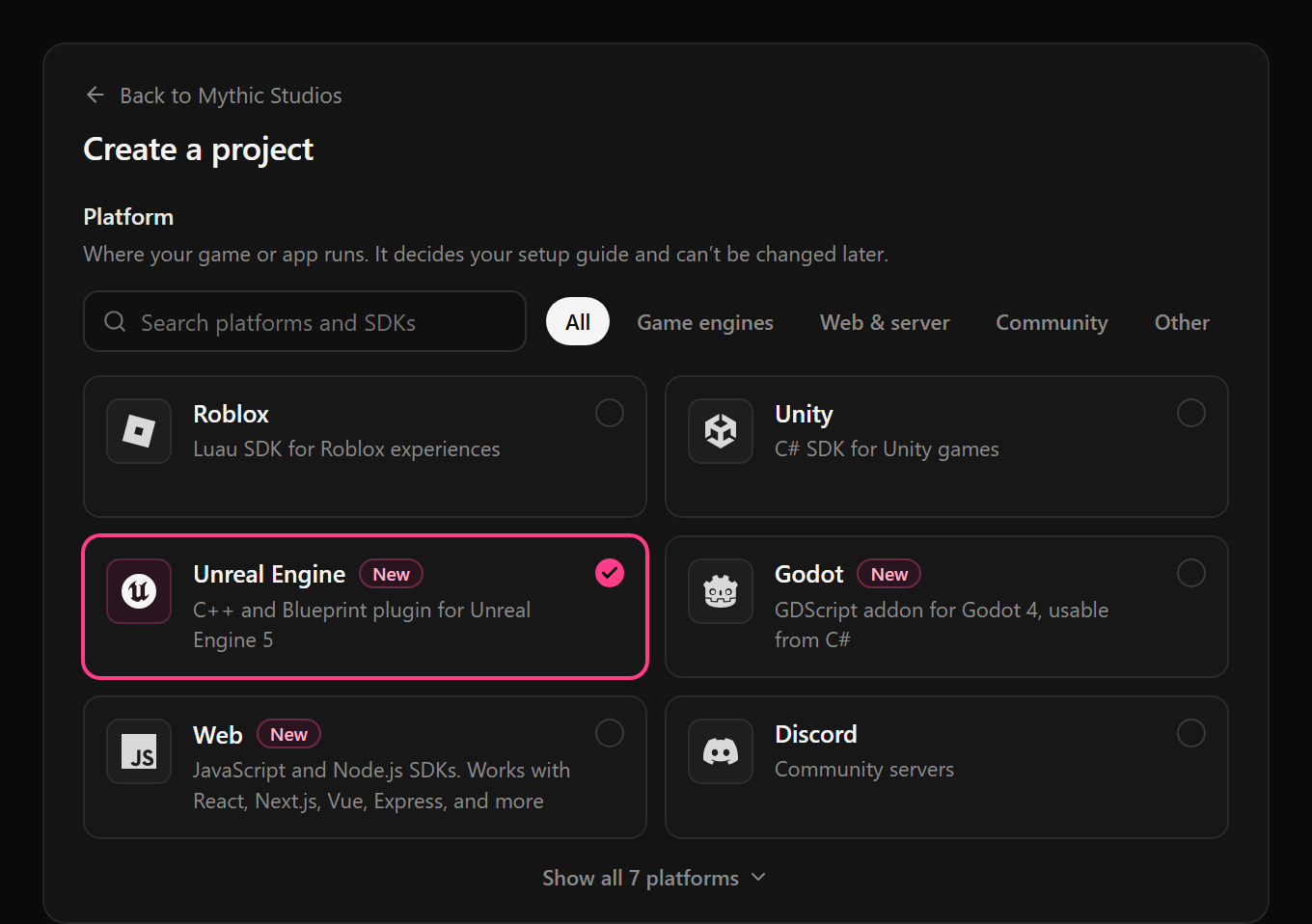
In issue 01 we said Unreal, Godot, and web were next. All three are live, with the same configs, experiments, and analytics as Roblox and Unity, in the same dashboard. Pick one when you create a project and the setup guide walks you through the SDK and your keys.
- Unreal Engine. A C++ and Blueprint plugin for Unreal Engine 5. Experiments can target platform, device, country, language, app version, and engine version with no extra code.
- Godot. A GDScript addon for Godot 4, usable from C#. Target experiments on any property your game sends.
- Web. The JavaScript SDK runs in the browser and the Node.js SDK on your servers, with React, Next.js, Vue, Express, and more.
- Deeplinks for your website. A new Website link type sends people to your site with your UTM tags. The JavaScript SDK records each landing and ties the rest of the visit to the link, so deeplink filters and breakdowns work for web traffic too.
Dashboards you can lay out
Issue 03 queued this. Dashboards are now a grid you arrange, so the important chart can be the big one and the board can explain itself to whoever opens it next.
- More than charts. Drag and resize charts, and add section headings, markdown notes, and images between them.
- Edit, then save. Changes stay a draft until you save. If a teammate saved first, you’re told instead of overwriting their work. Name, description, icon, and color are edited right on the board.
- Folders and pins. Group dashboards into folders, pin the ones you use most, and sort the sidebar your way.
- Agents can lay them out. The assistant and MCP agents can add headings and notes, rearrange panels, and file dashboards into folders, with your approval.
Earn up to $10,000 for every studio you send our way
Every Gamebeast account has a referral link. Share it with another game studio or app team, and when they sign up or upgrade, you earn 5% of their first payment, up to $10,000 per referral.
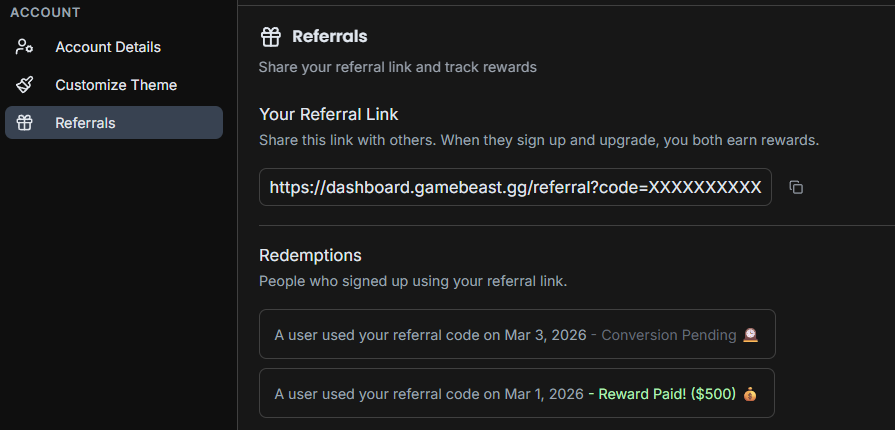
- Find your link. It’s in Settings → Referrals, along with every team you’ve referred and where each one stands: conversion pending, payout pending, or paid.
- No limit. Refer as many studios as you like. Each referral stays open for 180 days.
- Who to send. Studios still on GameAnalytics, Mixpanel, or Amplitude, or any app that wants to keep its users and earn more.
Referring an enterprise studio? They don’t need a link, just your name when they start onboarding. Full terms are at gamebeast.gg/referrals.
Smaller things worth knowing
Approve in one go. When the assistant proposes three or more changes in a row, they arrive as one card with Approve all and Deny all, and you can still open each change.
Private keys from the assistant. The assistant and MCP agents can mark configuration keys private or public, and the approval card shows it alongside the value changes.
Funnels, refined. Flowed Steps is now Stacked Steps, sized by real counts so later steps no longer look like 100%. The funnel sankey is rebuilt, with drop-offs under each step and highlighted paths.
More room on Beast. Prepaid event tiers now go up to 100M events a month.
On the horizon
histograms and community pulse
- Histograms. A chart for how a value is spread across users, not just its average.
- Community Pulse for everyone. User feedback from the channels you already run, grouped by topic and sentiment, for every studio.