
New docs, and an API reference that can't drift
Issue 04 · Sep 25, 2026
New docs, and an API reference that can’t drift
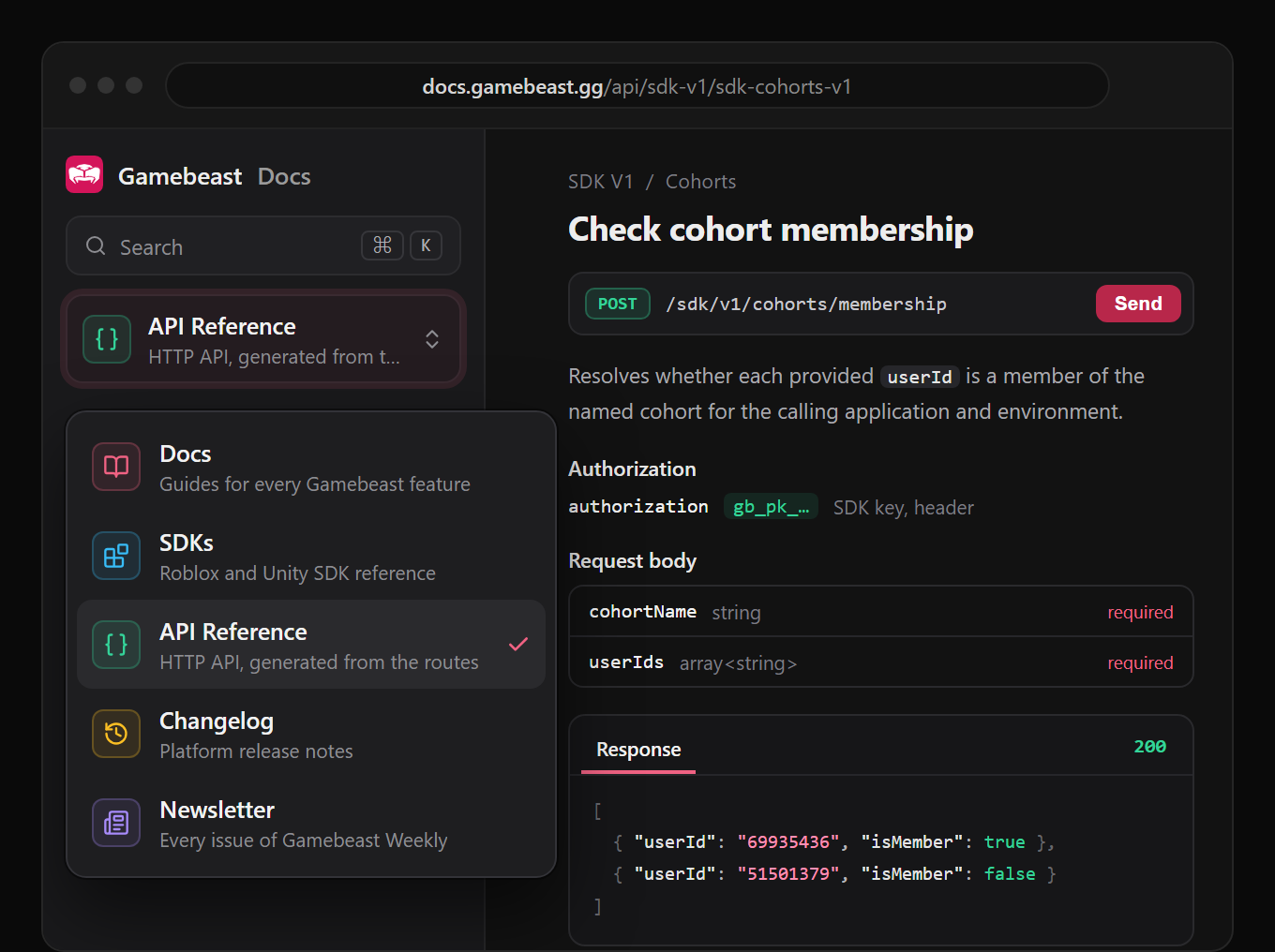
We rebuilt docs.gamebeast.gg. It’s at the same address, but everything now lives in one site behind a single switcher at the top of the sidebar: guides for every feature, SDK reference for all platforms, a full API reference, the changelog, and this newsletter. Pick a section and the sidebar shows only that section.
- An API reference built from the API. Every endpoint page is generated from the same route definitions the API runs on. What you read is what the API accepts, including which key each endpoint takes. SDK endpoints come with samples for all platforms.
- Search that works. Press ⌘K (Ctrl K on Windows) on any page to search every guide, SDK page, and endpoint.
- Every past issue, in one place. Missed one? Issues 01 to 03 of this newsletter are archived at docs.gamebeast.gg/newsletter, searchable like the rest of the docs.
Bookmarked a page on the old site? It still works. Old links redirect to the page’s new home, so nothing you saved or shared is broken.
No token, no headers. Just sign in.
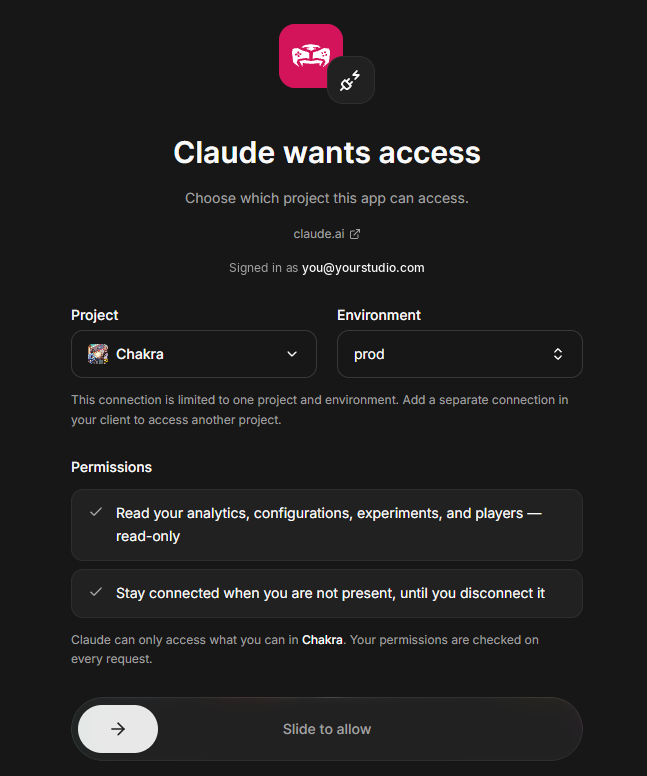
Monday’s MCP release connected through personal access tokens, which works wherever a client lets you set custom headers. A lot of clients do not, so we have extended it with single sign-on: copy a URL into your client, and it opens your browser to sign in with the Gamebeast account you already have. No token, no headers, just a native connection. Next up, native connectors for Claude and ChatGPT are in the works.
- One URL per project. Pick a project and environment in Settings, then MCP and API access, and copy the config it gives you. The URL carries the project, so nothing is pinned to a token you have to keep track of.
- Several at once, side by side. Each project and environment gets its own URL and its own access, so your live game and your test project can both be connected and neither one can answer for the other. Authorizing one never touches another.
- You see the scope before you grant it. The browser shows which app is asking, which project and environment it gets, and that it is read-only. An agent can never see more than you can, and that is rechecked on every request rather than frozen at sign-in.
Tokens still work, and they are still the right answer for scripts and CI. For your editor, there is now a faster path. It is read-only for the moment, so point it at your live game without worrying what it might touch. Setup for both Cursor and Claude Desktop is in the MCP guide.
Legacy experiments end October 21
Now there is a date. Legacy experiments are being sunset on October 21, so anything you still rely on there needs to move to the current experiments surface before then. The sidebar is one Experiments entry now, with a Current and Legacy switcher if your project has both, so you can see what is left to move without hunting for it. You will also see the notice in the product itself.
One thing to check on Roblox: experiments need SDK version 1.0.0 or newer. If your project is behind that, update before you migrate rather than after.
Smaller things, mostly from you
Rename a metric where you use it. In the report and funnel builders, the pencil next to a metric now edits its label inline instead of opening a dialog. Enter saves, Escape cancels, and clearing the field puts the original name back. It changes the label only, never the underlying data, and the name travels with the saved query.
And a few more. Heatmap preview images load in the dashboard again. The JSON view of a configuration no longer crashes, which used to strand you there with no way back. Charts the assistant builds no longer break on an odd unit label. Reverting part of a changeset leaves neighbouring content alone. Organization pickers are plain A to Z now, in the same order everywhere.
On the horizon
community pulse for everyone
We promised this back in issue 01, and it has been in front of a small group of studios since. General availability is next: every studio gets Community Pulse, which pulls player feedback from the channels you already run and groups it by topic and sentiment.
new charts and funnel breakdowns
- Histograms. A new chart type for seeing how a value is distributed, not just its average.
- Funnels as a table. A new funnel view built for large funnels, so every step and its drop-off stay readable when a chart would get crowded.
- Funnel breakdowns. Break a funnel down by an argument instead of building one by hand with a step for every value.
filter by time since first seen
A new user metadata filter: time since a player was first seen. That opens up cohorting by join date, makes progression easier to track, and more.